 tessera
The SenseCAP Indicator D1 series: 4 inch, 480 × 480, with an ESP32-S3 and an RP2040 beside it that drives the buzzer.
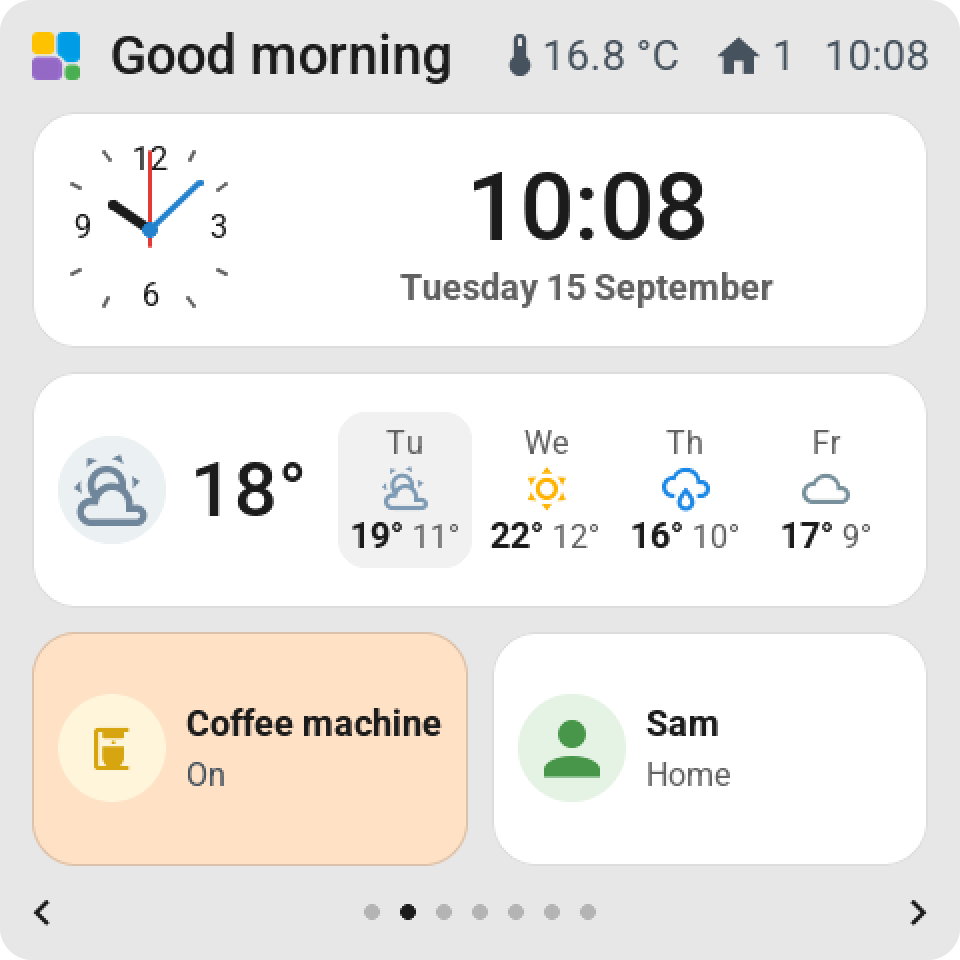
| Touch | Capacitive (FT6336U) |
| Backlight | Dims; standby and night mode |
| Capabilities | The buzzer as the screen's speaker, for the doorbell's chime and the sounds of alerts |
The suggested grid can be changed after installation with Grid in the editor. See Change the grid.
Check the model
The four models, D1, D1S, D1L and D1Pro, share one profile. Tessera supports the GX panel; if the screen stays dark or shows wrong colours after a successful installation, it may have the DX panel, which is not covered. Camera pictures and the sensors of the D1S and D1Pro are not supported yet.
Set up
Update Tessera Screen Manager and choose SenseCAP under New screen. Follow Add a screen for the USB installation. The Indicator shows two USB ports on one cable: choose the one called USB Serial for the screen itself.
After the installation, New screen offers one more step, Give the buzzer its sound: two clicks put Tessera's firmware on the RP2040 over the same cable. From then on the buzzer plays the doorbell's chime and the sounds of alerts, at the Volume under Extras. The step can wait; the screen works without it, without sound.
The default grid is 2 columns and 3 rows.