
Alerts from automations
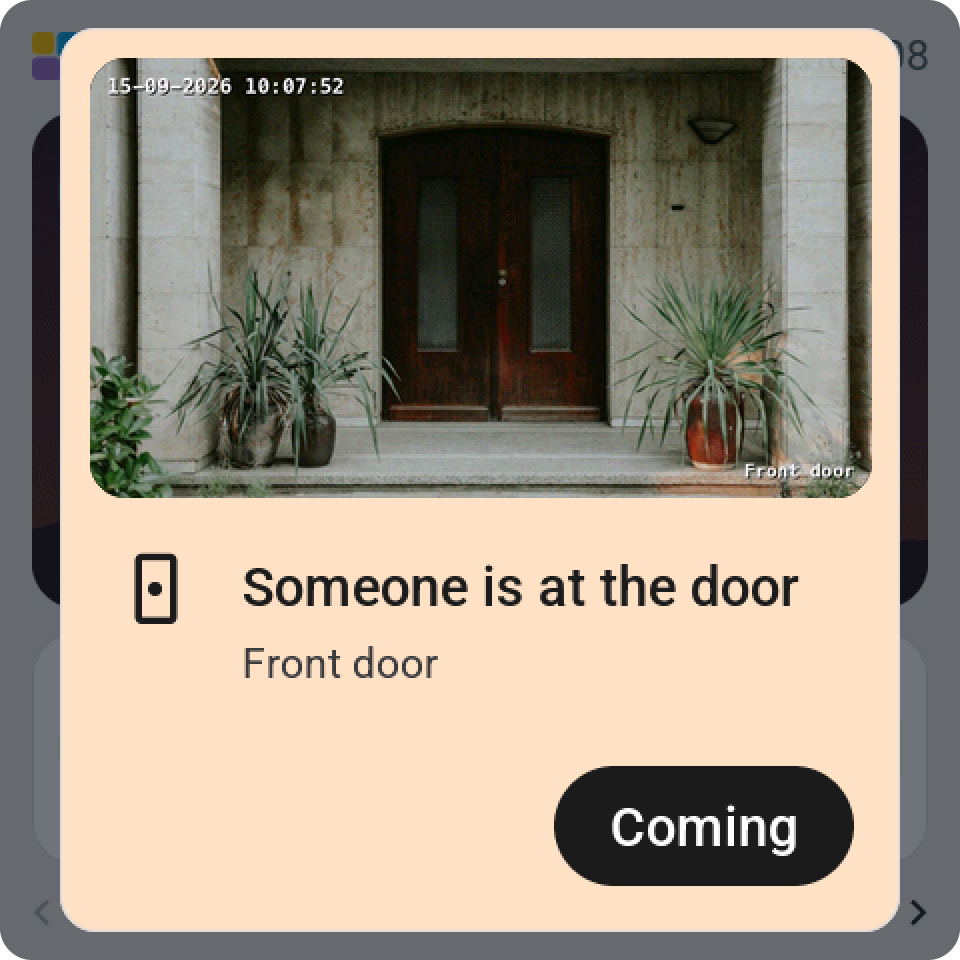
An alert is a card over everything on the screen, sent from an automation: the doorbell rang, the washing machine is done, the back door is still open. It wakes the screen, keeps it lit and stays until someone taps its button or the time runs out.
Sending one
Every screen has the action esphome.<screen>_show_alert. Alerts in Tessera's sidebar shows the exact name per screen, with example YAML to copy, and a Try it form that sends a test alert to one screen or to all of them.
action: esphome.kitchen_screen_show_alert
data:
  title: Doorbell
  subtitle: Someone is at the front door.
  icon: doorbell
  color: blue
  button_text: OK
  timeout: 60
  flash: true
The event esp_screens_show_alert reaches every online screen at once, through the app. The action per screen works without the app.
The fields
Home Assistant wants all seven; leave the ones you don't use empty, 0 or false.
| Field | What it does |
|---|---|
title | One line at the top. Empty becomes "Notification". |
subtitle | The explanation under it. Line breaks are fine. |
icon | A name from the list in the cheatsheet: doorbell, bell, lock, door-open, motion-sensor, washing-machine, car and more. Unknown or empty shows a warning triangle. |
color | red, orange, yellow, green, mint, blue, purple, pink or gray. Empty gives a white card. |
button_text | The button's words. Empty says "OK". |
timeout | Seconds until the card closes by itself, up to a day. 0 waits for the button. |
flash | true blinks the backlight four times when the alert arrives. |
Long words get an ellipsis. A title fits about twenty characters per line.
More through the event
The event esp_screens_show_alert takes a few extra fields:
camera: a camera or image entity. Its picture of that moment goes on the card, and a tap on it opens the camera full screen. Not on the CYD, which has no memory for pictures.actionanddata: an action performed once, on the first screen where the button is pressed. When the alert times out, nothing is performed.screen: one screen by name, a room, or a list, instead of every screen.button2_text,button2_actionandbutton2_data: a second button on the left.button_colorandbutton2_colorcolour the buttons, so an alert becomes a question: "Open the gate?" with Open in green and Ignore in grey.
What happens on the screen
A new alert replaces the one before it. A tap beside the card does nothing; only the button closes it, so a wake tap never dismisses an alert by accident. Standby and the night hours wait while an alert shows, and start counting again after the button. esphome.<screen>_dismiss_alert closes it from an automation, for an alert that resolved itself.
Every end fires the event esphome.screen_alert with action (ok, button2, timeout, replaced or remote), the title and the screen. An automation can wait for it.