
M5Stack Tab5 5 inch
The M5Stack Tab5 with the ST7121 display and touch controller: 5 inch, 1280 × 720 lying down, with an ESP32-P4.
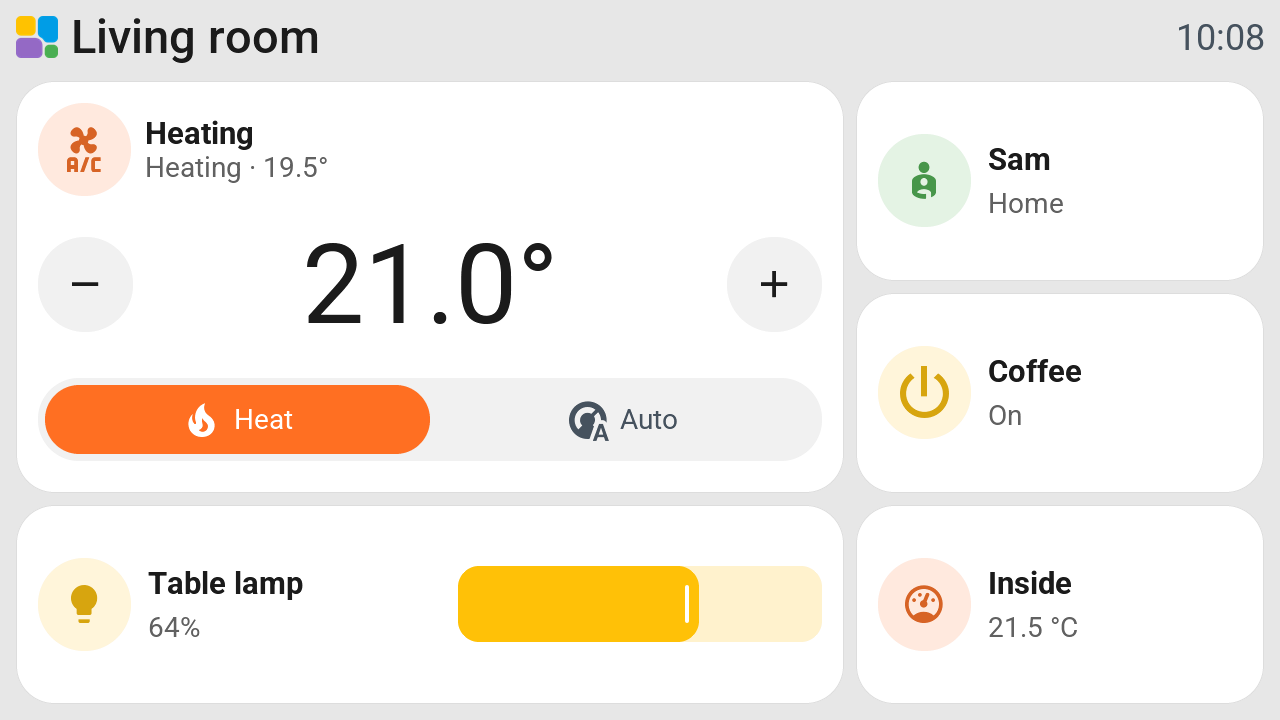
| Tiles per page | 9 or 12 lying down (3 × 3 or 3 × 4), 5 standing up (1 × 5) |
| Touch | Capacitive (ST7121) |
| Backlight | Dims; standby and night mode |
| Pictures | Yes, including cameras and album covers |
| Pages and tiles | Up to 8 pages and 64 tiles in total |
| Status | New; tested on the ST7121 variant |
Check the variant
Only the ST7121 variant is supported. Before replacing the factory firmware, check its USB log for this message:
Detected ST7121 touch controller (FW version: 1), using ST7121 displayOther Tab5 display and touch variants are not covered by this profile. Choosing the wrong variant can leave the screen blank.
Set up
Update Tessera Screen Manager, then choose M5Stack Tab5, model Tab5 ST7121, under New screen. Follow Add a screen to install it. Once it is on your Wi-Fi, it shows up in Tessera by itself.
The landscape grid has three rows by default. Choose four rows under New screen for 12 smaller tiles per page. Standing up keeps one column of five tiles.
Battery
Home Assistant shows Battery Voltage and Battery Level for this screen. Battery Level is an estimate from the battery voltage. Charging or a heavier load can change the estimate.
Good to know
- The ST7121 variant has been tested on real hardware. Other Tab5 variants need their own confirmation.
- Use Tab5 firmware 0.39.1 or newer, supplied by app 0.4.66 or newer. This fixes Wi-Fi failing after a cold start.
- If Tessera identifies the screen as another board, install it again with Tab5 ST7121 selected.