
Clock, language and formats
The words on the screens, how the time reads and how numbers are written. These are set once for every screen, under Settings → Language & region in Tessera.
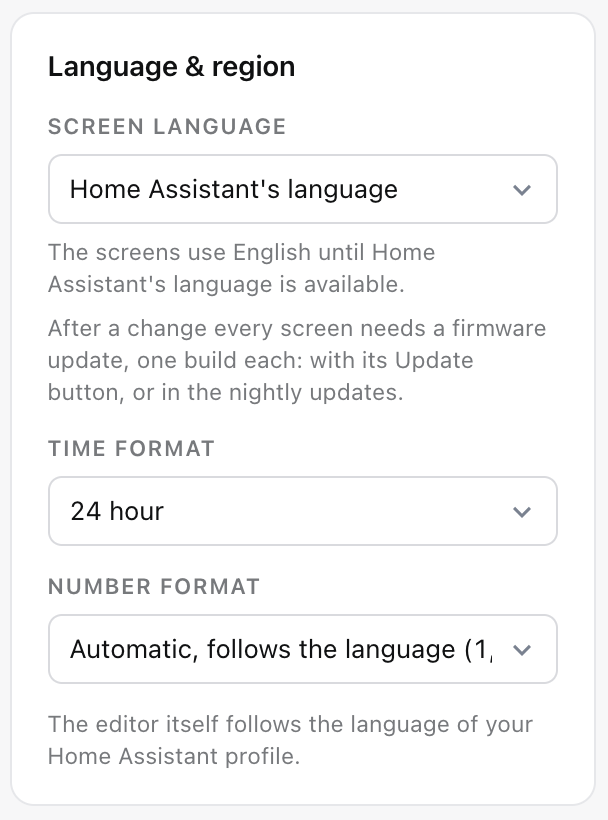
Screen language
Home Assistant's language, or one from the list: English (US and UK), Dutch, German, French, Spanish, Italian, Polish, Portuguese and Hungarian. A language that no native speaker has checked yet says so, with a link to help.
The language is part of the screen's firmware. After a change, every screen needs an update, one build each: with its Update button, or in the nightly round. Until then Tessera shows "New language" next to the screen.
The words that belong to Home Assistant, the states of a door, an air conditioner or a robot, stay Home Assistant's words in that language. A word without a translation shows in English.
The editor's language
The editor itself follows your Home Assistant profile's language, so two people can use Tessera in two languages while the screens speak one.
Time format
Automatic, follows the language, 24 hour or 12 hour. It applies at once, without a firmware update, to the time in the top bar, the clock tiles, the bedside clock, the screensaver clock and the night hours on the settings page. A 12-hour clock shows AM and PM beside or under the time.
Number format
Automatic, follows the language, or one of three styles, shown with an example: 1,234.5 or 1.234,5 or 1 234,5. Applies at once on every screen.
When your Home Assistant profile asks for a different clock or number format than the screens use, Tessera says so and offers Use these.