
The top bar
The strip along the top of every page. On the left the home key and the page's title, on the right up to six items: the time, the date, a small clock, or values from Home Assistant.
Changing it
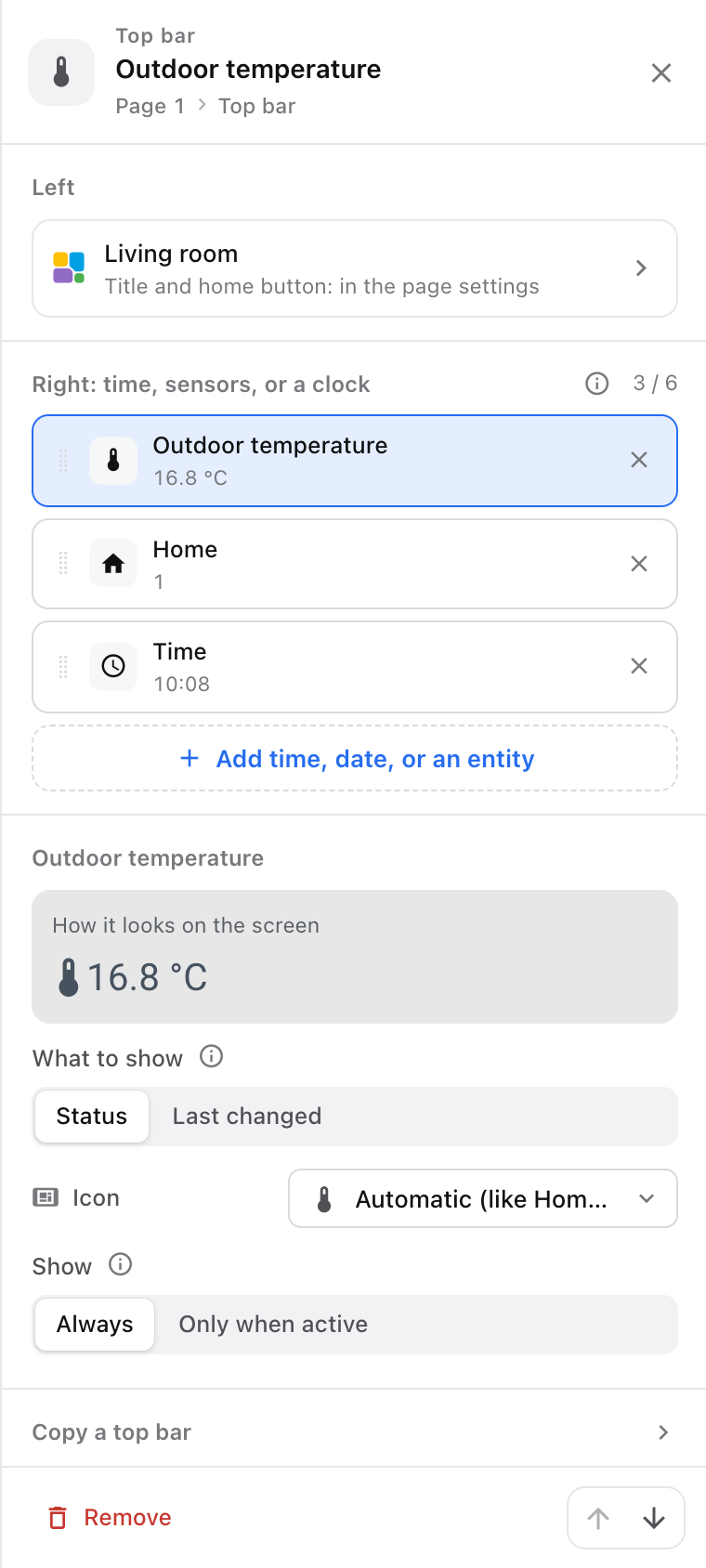
Tap the top bar of a page in the editor's preview, or choose Edit top bar in the page's ··· menu. Every page can have a different bar; New empty page with this top bar copies one to a new page.
Title above the page is the page's own title. Screen title is what every page without a title shows. Leave it empty to show only the logo.
Items on the right
Add time, date, or an entity opens the picker:
- From the screen itself: Time, Analog clock (a small dial) and Date. These keep ticking without Home Assistant.
- Suggestions from Home Assistant: temperature, humidity, power use, last motion, weather, people home, sunrise and sunset, CO₂, from the screen's room or home.
- An entity: search by name or room. A phone, a lock, the alarm panel, a door.
Each item can be in the bar once; six fit at most. Drag items to reorder them.
For an entity item you choose:
- What to show: Status (the state as Home Assistant writes it: 21.3 °C, Open, Home, Armed away) or Last changed ("Just now", "5 min ago", "Yesterday"; a timestamp counts down: "In 2 hours").
- Icon: Home Assistant's, one of your own, or none.
- Show: Always, or Only when active, which hides the item as long as it is off, closed, away or zero. An active item takes Home Assistant's colour: an open door amber, an armed alarm green, a triggered one red.
When it doesn't fit
The values and the title share one line. When they don't all fit, the title gets an ellipsis and the screen drops the items on the left first. The editor draws those dashed, so you see it before the screen does: remove an item or choose a shorter title.
The home key
The Tessera logo at the far left takes the screen to the Home page from anywhere. Show home button hides it on every page; Show a Home control on this page in a page's settings hides it on one. Holding the top bar opens the settings page.