 tessera
Features Wishlist
media screensaver
What would you like to add
Hi, great project!
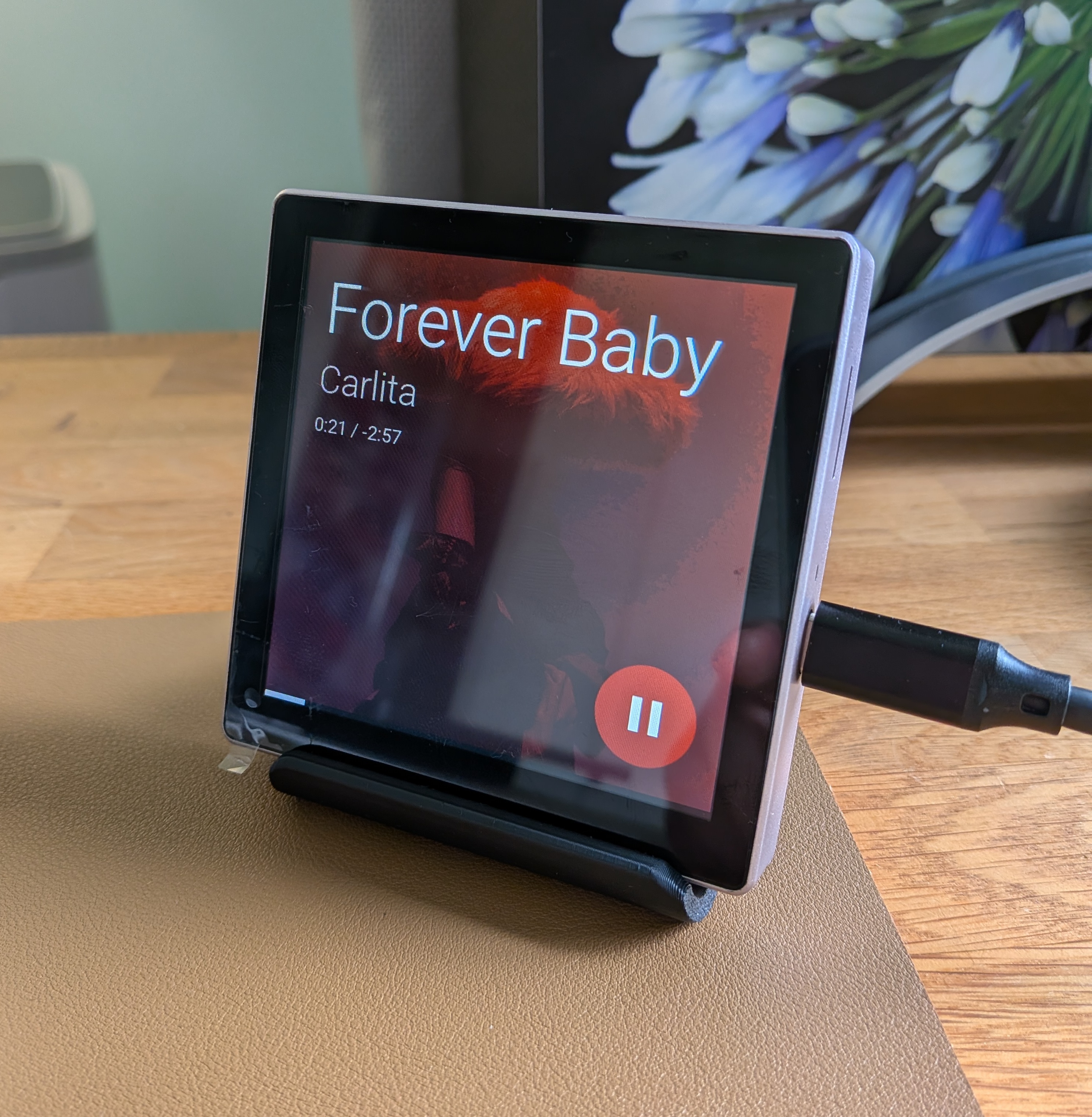
Would it be possible to add a media screensaver in a similar style like ESPcontrol has implemented?
How this relates to Home Assistant
Show album art from selected media source as screensaver
Pictures, mockups, or examples
Before submitting
- I searched the existing issues and this has not already been requested
Discussion 9
Add a commentcool one! Let me look into this when I have time.
Original on GitHub
Thanks @Heronimonimo! This is better suited to a discussion than an issue, so I moved it here: https://github.com/MaxGramser/homeassistant_espscreen/discussions/106
Please continue the conversation there. I'm closing this issue to keep the tracker for bugs and concrete board requests.
Got a screen running? Tell others which board you have and what works on the Tessera website. It helps everyone pick a screen that works.
Like my work? Consider buying me a coffee, much appreciated!
Original on GitHub
Good news @Heronimonimo: 0.4.42 (firmware 0.24.0) is out, and media got a big step towards this. It isn't a screensaver yet, but the media card now looks a lot like the example you shared:
Rendered from the firmware's own code, with made-up records.
The cover as a screensaver stays on the list. Let me know what you think of this!
Got a screen running? Tell others which board you have and what works on the Tessera website. It helps everyone pick a screen that works.
Like my work? Consider buying me a coffee, much appreciated!
Original on GitHub
Great improvements, really nice.
The screensaver addition could nicely build on this.
Already see multiple screensaver options that are worth investigating:
Original on GitHub
In reply to Heronimonimo
Thanks @Heronimonimo, glad you like it, and thanks for the list! A slideshow, a large clock, the cover with a few controls and a doorbell camera are all good candidates, and they fit together nicely as choices for one idle mode.
I'm open to building this, but it is less simple than showing the album art large. A screen never resizes a picture itself. ESP Screens prepares every picture in the add-on: it crops, rounds and scales a separate version for each size a picture appears at, and sends exactly that to the screen. It also keeps track of what else is on the glass at that moment, because all pictures on a screen share one memory budget worked out from that board's PSRAM. A full-screen cover is a new size on every board, and it has to fit next to the covers, cameras and maps that are already on the page underneath. So a screensaver touches the add-on, the protocol and the firmware of every board, and that takes some careful work. Everything in its own time.
One question where I'd like your view. Many homes have several players: a few Sonos speakers, Music Assistant players, a Spotify Connect device, a TV. Which one should the screensaver follow? A few options I see:
And when nothing plays on that player, should it fall back to the clock or a slideshow? How would you want this to work in your home?
Got a screen running? Tell others which board you have and what works on the Tessera website. It helps everyone pick a screen that works.
Like my work? Consider buying me a coffee, much appreciated!
Original on GitHub
In reply to Heronimonimo
In my case I would like to be able to select a media player per screen that is use for the screensaver.
Fallback when inactive would be nice. That could be to slideshow, clock, camera or it could just fallback to no screensaver when nothing is playing.
Original on GitHub
In reply to Heronimonimo
@Heronimonimo thanks for the clear answer, that is exactly how it works now. It is in ESP Screen Manager 0.4.48 (firmware 0.29.0), which is out.
Open the screen in ESP Screens, go to Settings, and you'll find a Screensaver card under Brightness:
So with Music, Camera, Clock: while music plays with a cover you see the cover, when it stops you see the camera, and if the camera is away you see a large clock with the date. With everything off or unavailable, standby looks the way it always did.
A few things on how it looks and behaves:
The add-on prepares the pictures for each screen's size, so the screen itself does very little work.
A slideshow is not in this first version, but I'm keeping it in mind. Let me know how it looks on your 10-inch!
Got a screen running? Tell others which board you have and what works on the Tessera website. It helps everyone pick a screen that works.
Like my work? Consider buying me a coffee, much appreciated!
Original on GitHub
In reply to Heronimonimo
Just updated to the new version including the screensaver. Looks very good!
Would it be possible to add media and volume controls to the media screensaver?
Original on GitHub
In reply to Heronimonimo
When I have time again I can look into it
Original on GitHub