 tessera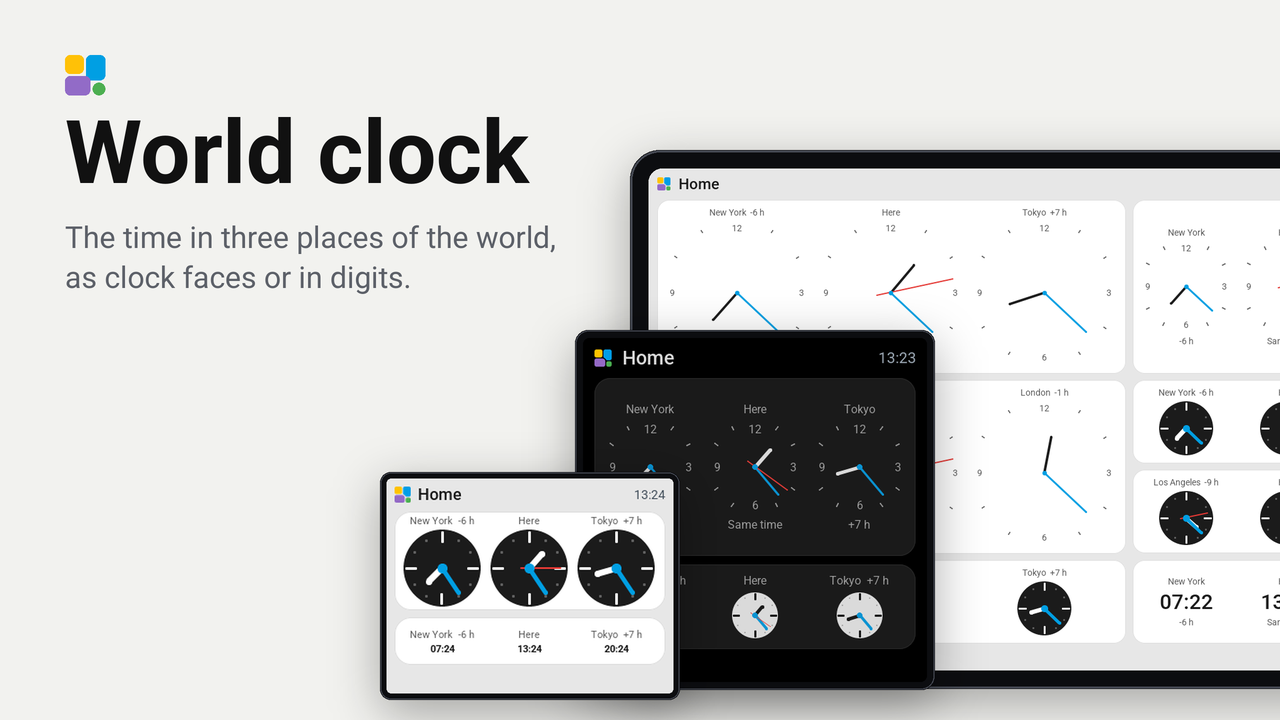
World clock
The time in three places of the world, as clock faces or in digits.
How these numbers are counted
Everything here is shared by choice from the Tessera app, one per installation of the app, without an account. A like can come from anyone, also from someone who does not run the plugin. A rating comes from someone who has run it on a screen for a few days, and shows from 3 ratings. Homes are the installations that agreed to be counted and said in the last 30 days that they run it.
These are not verified installations or a quality score. Reinstalls and lost keys can affect them, and one home network adds at most two of each to a plugin.
What the app sharesThe time in up to three places of the world on one tile: as clock faces drawn like Tessera's own analog clock (classic with marks and numerals, or calm), or in digits. Each place has its name above its clock and how far it is from the screen's time below it ("-6 h", "Tomorrow · +8 h"). The screen works the time out itself, daylight saving included: no entity, no internet service.
The places stand side by side. Each clock takes the largest size its column leaves; the line under it stays only where it costs the clock nothing, else the offset follows the place's name ("New York -6 h"). A column too narrow for a dial shows the time in digits, in the screen's own 24-hour or AM/PM format.
Set up
- In Tessera, open Plugins, choose World clock and tick your screens. Each screen builds once.
- In Layout, place the World clock tile from the library's Plugins group. Two or more columns wide gives each place room for its dial.
- In the inspector, choose the three places. Here is the screen's own time zone, None leaves a place out. Give a place a name of your own if you like, such as the city you live in for Here.
- Choose the face: Clock faces, chosen by size (calm faces on small dials, classic ones on large), Classic, Calm or Digits, and where the second hand goes: on the home clock, on every clock or nowhere.
Good to know
- 46 places to choose from, every continent's large cities. A place follows its own daylight saving rules, north and south of the equator.
- By default one second hand, on the home clock: the clock of the screen's own time, or the first clock when none shows it. The seconds are the same in every zone. It moves once a second while the tile is on the glass.
- The screen needs its time from Home Assistant; until then the tile says it is waiting for it.
How it works
tessera-plugin.yaml: the tile and its options: three places, their names, the face and the second hand.components/world_clock/: the ESPHome component that draws the clocks and works out each place's time.components/world_clock/zones.h: each place's offset and daylight saving rules, written bytools/make_zones.pyfrom the tzdata rules. Run it again when a country changes its rules.translations/: the words on the screen (screen) and in the app (app), the cities' names among them.CHANGELOG.md: what each version changed; the app shows it with an update.