 tessera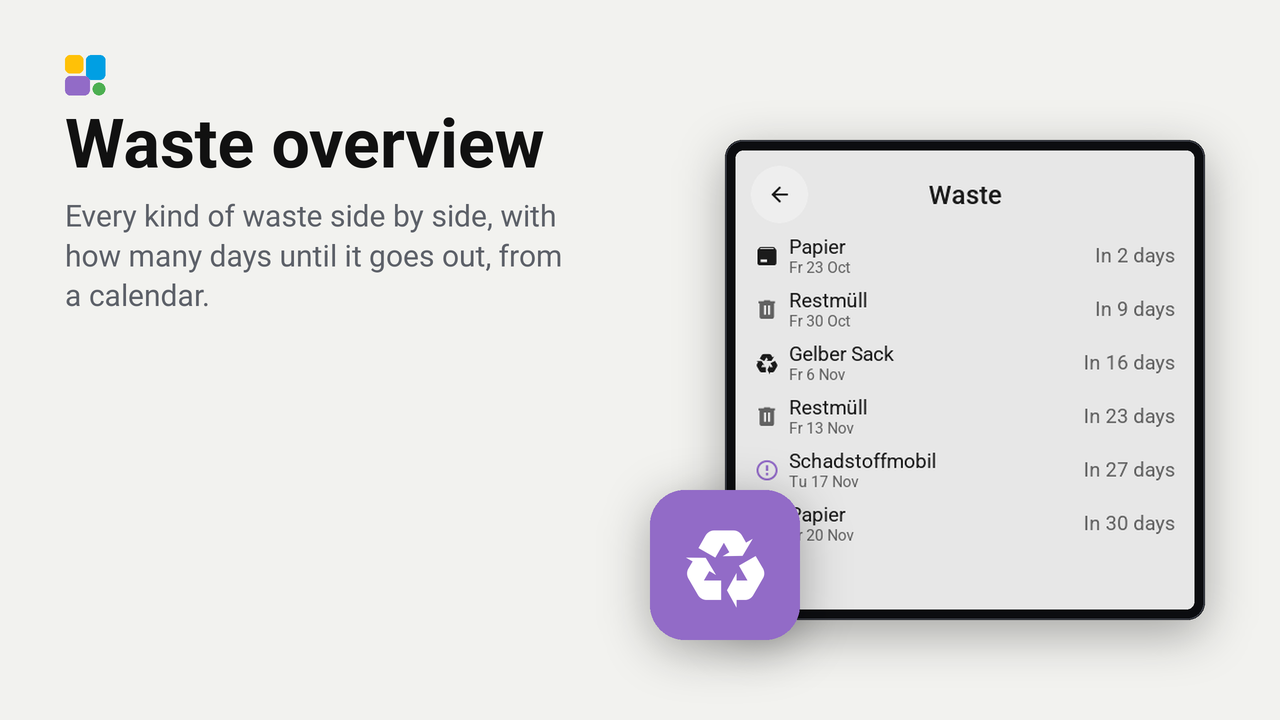
Waste overview
Every kind of waste side by side, with how many days until it goes out, from a calendar.
Every kind of waste of a calendar in Home Assistant side by side on one tile: its icon in its colour, its name, and how many days until it goes out next ("Tomorrow", "In 9 days"), the soonest first. It is the idea of the Lovelace trash-card, drawn on a Tessera screen.
On a wide tile the kinds stand side by side, as many as fit; on a tall one they are rows, with the days at the right.
The icon and colour follow the words calendars use: paper blue, the yellow bag and packaging amber, organic waste green, hazardous waste purple, a Christmas tree green, everything else a grey bin. German, English and Dutch words work.
Set up
- Have a calendar with the collection days in Home Assistant. Waste Collection Schedule makes one for most councils; a Local Calendar with the days typed in works too.
- In Tessera, open Plugins, Add with a link, and paste the link of this repository. Add the plugin to a screen and choose the calendar under Waste calendar. The screen builds once.
- In Layout, place the Waste overview tile from the library's Plugins group (4 x 1 shows four kinds side by side) and choose the calendar in its inspector.
- That is all: every event name of the calendar is a kind of its own. To group or rename them, fill in the kinds below.
Options
- Days ahead: how far ahead to look, 35 days by default. A kind collected less often than that does not show.
- Today's collection until: from this hour on (10 by default) a collection of today makes way for the next one of its kind, as the bin is out already. 24 keeps it all day.
- Kind 1 to 5, word and name: renames and groups kinds. Every event whose name holds the word shows under the
name:
Restwith the nameRestmüllturns "Restmülltonne 2-wöchentlich" into "Restmüll", andGelbwithGelber Sackputs "Gelbe Tonne" and "Gelber Sack" together. Every other event keeps its own name.
Coming collections
A tap on the tile opens a card with the coming collections of five weeks: each with its icon, its name (renamed as on the tile), its date and how far away.
Good to know
- The tile asks Home Assistant for the coming events through Tessera (
calendar.get_events): when it appears, when the calendar's next event changes, and every hour. - Up to eight kinds and 24 coming collections; an answer of Home Assistant is at most about 3 KB, so a calendar with long descriptions may lose its last collections. Fewer Days ahead helps then.
- Works on every board, the CYD included.