 tessera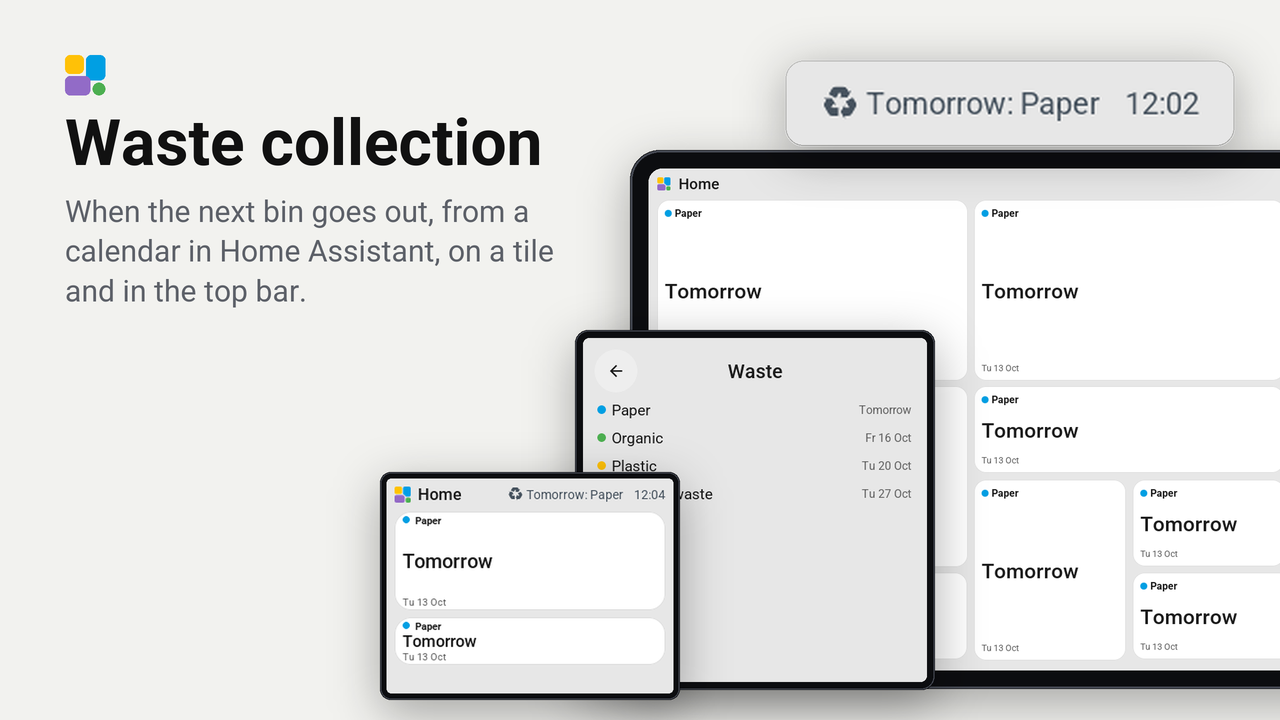
Waste collection
When the next bin goes out, from a calendar in Home Assistant, on a tile and in the top bar.
How these numbers are counted
Everything here is shared by choice from the Tessera app, one per installation of the app, without an account. A like can come from anyone, also from someone who does not run the plugin. A rating comes from someone who has run it on a screen for a few days, and shows from 3 ratings. Homes are the installations that agreed to be counted and said in the last 30 days that they run it.
These are not verified installations or a quality score. Reinstalls and lost keys can affect them, and one home network adds at most two of each to a plugin.
What the app sharesWhen the next bin goes out, from a calendar in Home Assistant: on a tile, in the top bar the day before, and on a card with the collections of the coming four weeks.
The tile shows what goes out (paper, garden waste, plastic) with its colour, when ("Tomorrow", "In 3 days") as large as the tile allows, and the date under it. A tap opens the card. The top bar says "Tomorrow: Paper" from the day before, or as many days ahead as you set on the screen.
Set up
- Have a calendar with the collection days in Home Assistant. Waste Collection Schedule and Afvalwijzer make one for most councils; a Local Calendar with the days typed in works too.
- In Tessera, open Plugins, choose Waste collection, tick your screens, and choose the calendar under Waste calendar. Each screen builds once with the plugin.
- Put the tile Next collection on a page and choose the calendar in its inspector.
- Optional: add Next collection to a page's top bar (Top bar, Add, From plugins).
- Optional: a sensor tile of your waste integration can open the card too: set its tap to Show coming collections.
On the screen
Hold the top bar, then Settings, Plugins, Waste collection:
- In the top bar: whether the top bar says it at all.
- Days ahead: from how many days before a collection the top bar says it (0 is the day itself, 1 the day before).
- Coming collections: opens the card.
Both settings are entities of the screen in Home Assistant too ("Waste in top bar", "Waste days ahead"), so an automation can change them, and the editor shows them in the plugin's details on the screen's Plugins tab.
Good to know
- The colours follow the words calendars use: paper and cardboard blue, garden and food waste green, plastic and packaging amber, glass purple, anything else grey. Dutch and English words both work.
- The card asks Home Assistant for the coming events through Tessera (
calendar.get_events); the screen reads the calendar's next event itself for the top bar. - The top bar item shows only while the next collection is within the days you set under Waste days ahead.
- Works on every board, the CYD included.
How it works
tessera-plugin.yaml: a tile that belongs to a calendar entity (with itsmessageandstart_time), a card, a tap action for sensor tiles, a top bar item, and the one Home Assistant command it may ask:calendar.get_events.plugin.yaml: twohomeassistanttext sensors that read the chosen calendar for the top bar, and the two settings as a template switch and number.components/waste_collection/: the tile, the card, the tap action, the top bar item and the settings rows.