 tessera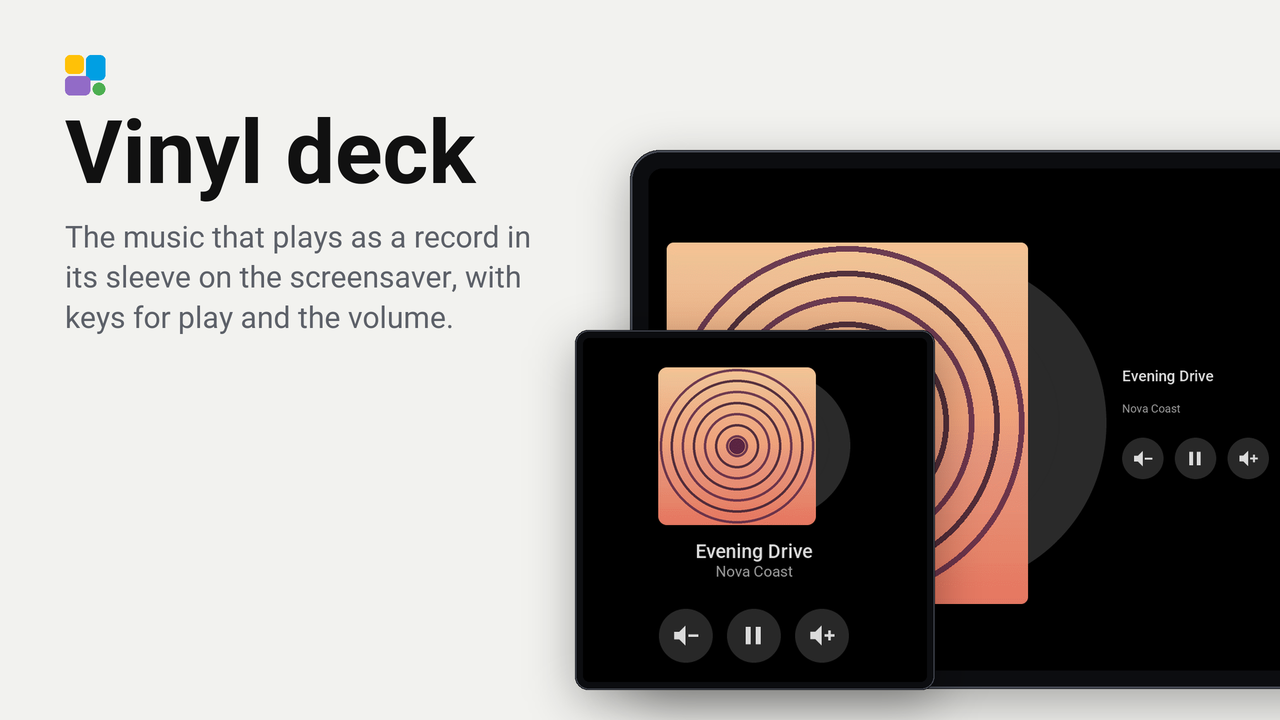
Vinyl deck
The music that plays as a record in its sleeve on the screensaver, with keys for play and the volume.
How these numbers are counted
Everything here is shared by choice from the Tessera app, one per installation of the app, without an account. A like can come from anyone, also from someone who does not run the plugin. A rating comes from someone who has run it on a screen for a few days, and shows from 3 ratings. Homes are the installations that agreed to be counted and said in the last 30 days that they run it.
These are not verified installations or a quality score. Reinstalls and lost keys can affect them, and one home network adds at most two of each to a plugin.
What the app sharesA face for the screensaver's music: the cover of what plays as a record sleeve, with the record peeking out of it, and the title and the artist beside it. Three round keys under the words play or pause the player and turn its volume down or up, and the screen stays in standby while you tap them. Hold the volume down key for a second and a half to mute the player; the next tap on a volume key takes the mute off.
It is an example to learn from: a screensaver with a picture (the step's own cover), keys that take a tap without waking the screen, and a key that shows its change at once.
Set up
- Add the plugin to a screen in Tessera. The screen builds once.
- Open the screen's Settings and the Screensaver card. Turn on Show in standby (the screen needs Auto standby on too).
- Click the Music playing step, choose your players, and choose Vinyl deck under Face.
- Turn Keys off for a screensaver that only shows the music. A tap then wakes the screen wherever it lands.
Good to know
- It shows on screens that show pictures, as the music step does. The CYD, the Waveshare 3.5-inch and the Hosyond 4-inch show the clock instead.
- A key shows only when the player has it in Home Assistant: a player without a volume has the play key alone.
- The screen must be allowed to perform actions in Home Assistant (it is when the app added it).
- A screen without the plugin shows Tessera's own cover with its keys.