 tessera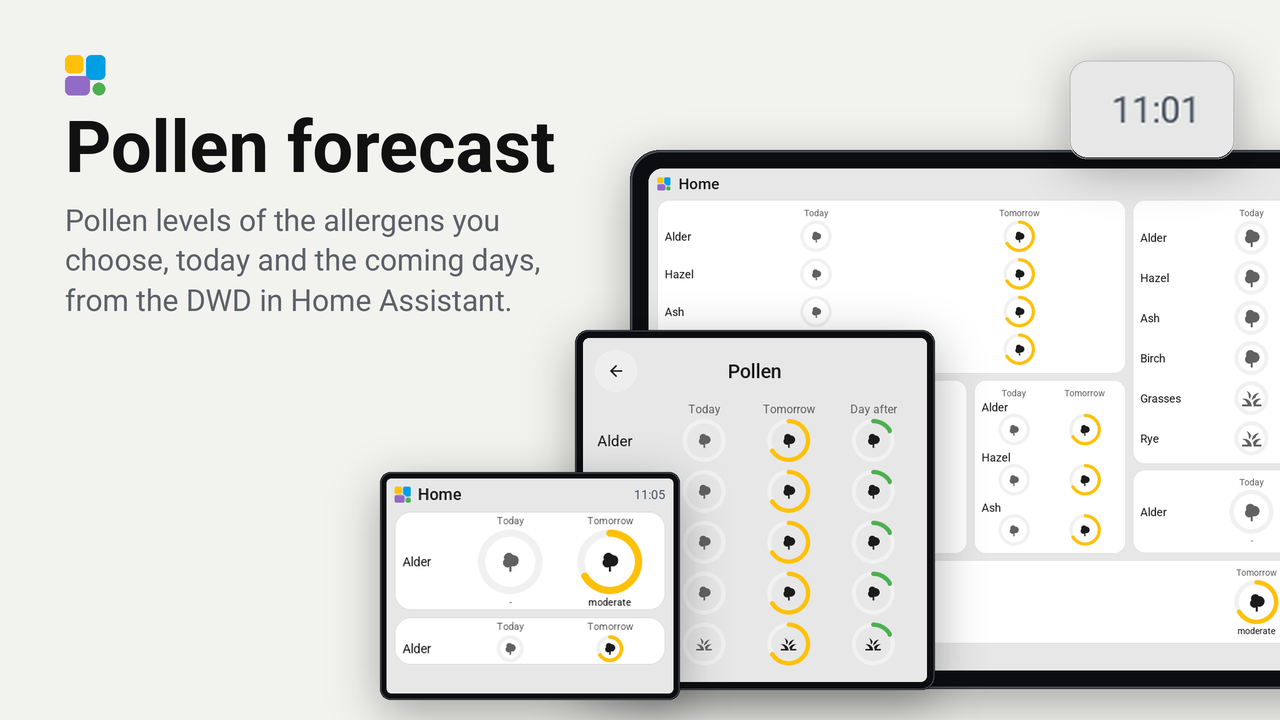
Pollen forecast
Pollen levels of the allergens you choose, today and the coming days, from the DWD in Home Assistant.
No rating yetRatings come from people who run it, in the Tessera app
0people like it, some without running it
0homes use it, of those who share that
The pollen levels of the allergens you choose, from the DWD Pollenflug integration in Home Assistant: a row per allergen with its name, and for today and the coming days a circle whose ring fills from none to high in green, amber or red, the allergen's icon in its middle and the level in words under it. The strongest allergens first. It is the idea of the Lovelace pollenprognos-card, drawn on a Tessera screen.
The circles grow with the tile: three allergens fill a tile two cells high, a taller one shows more. With no pollen in the air the tile shows a green flower and "No pollen".
Set up
- Have the DWD Pollenflug integration in Home Assistant, set to
your region. It makes a sensor per allergen, such as
sensor.pollenflug_birke_50. - In Tessera, open Plugins, Add with a link, and paste the link of this repository (or copy the folder to
/config/tessera-plugins/pollen/). Add the plugin to a screen. - In the plugin's details on the screen's Plugins tab, under When building, choose the sensor of each allergen you want (Alder, Hazel, Ash, Birch, Grasses, Rye, Mugwort, Ragweed); leave the others empty. Save and build.
- In Layout, place the Pollen forecast tile and set in its inspector what it shows.
Options of a tile
- Look: circles with the level in words under them (the default), circles only, or bars that fill from none to high, which take less room on a small tile.
- Days: today alone, today and tomorrow, or three days.
- Show allergens without pollen: off leaves out an allergen with no pollen on every day shown.
- Strongest first: off keeps the order of the season (alder, hazel, ash, birch, grasses, rye, mugwort, ragweed).
- Alder to Ragweed: which allergens this tile shows, so two tiles can show different ones.
Card and top bar
- A tap on the tile opens a card with every allergen that has a sensor, today and the two days after.
- The top bar item Strong pollen (Top bar, Add, From plugins) says "Birch: high" while the strongest allergen of today reaches a level. On the screen (hold the top bar, Settings, Plugins, Pollen forecast) or in the plugin's details: In the top bar on or off, and From level 1 (very low) to 6 (high), 5 at first.
Good to know
- The screen reads the chosen sensors itself, today's level from their state and the next days from their attributes
state_tomorrowandstate_in_2_days. A change of a sensor in the plugin's details builds the screen again; the tile's options do not. - The DWD publishes its forecast once a day, around 11 o'clock.