 tessera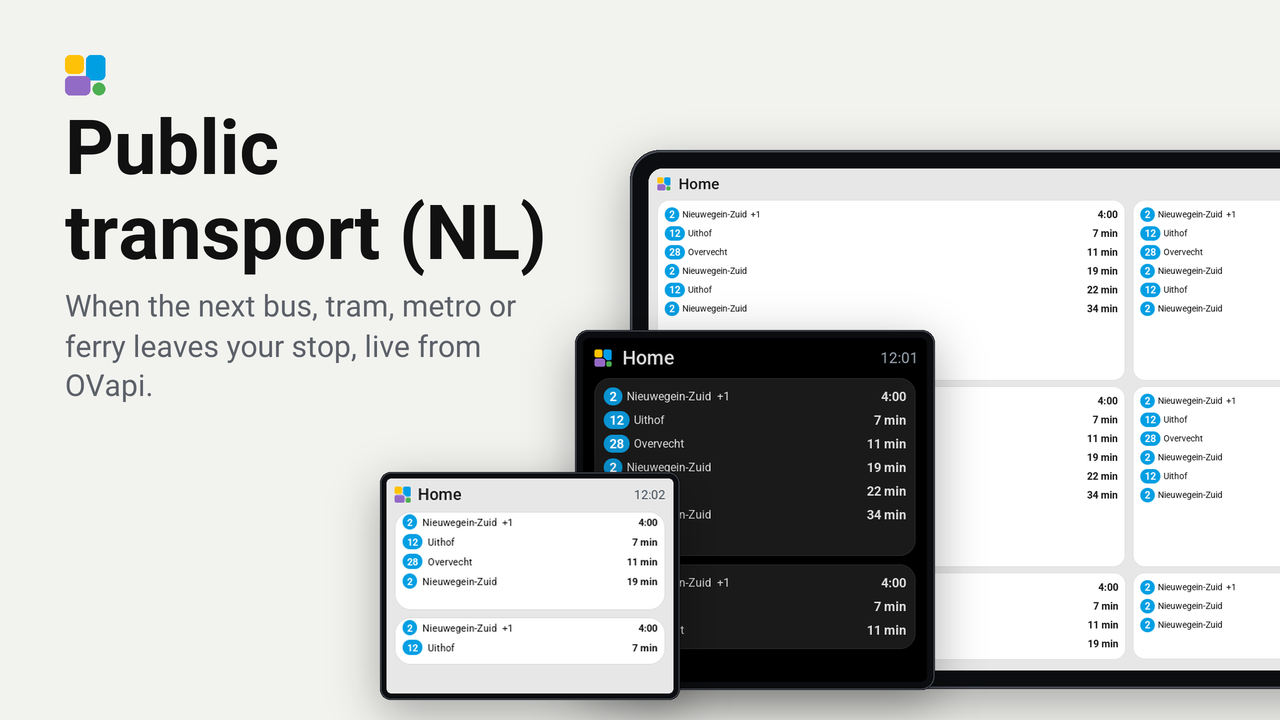
Public transport (NL)
When the next bus, tram, metro or ferry leaves your stop, live from OVapi.
How these numbers are counted
Everything here is shared by choice from the Tessera app, one per installation of the app, without an account. A like can come from anyone, also from someone who does not run the plugin. A rating comes from someone who has run it on a screen for a few days, and shows from 3 ratings. Homes are the installations that agreed to be counted and said in the last 30 days that they run it.
These are not verified installations or a quality score. Reinstalls and lost keys can affect them, and one home network adds at most two of each to a plugin.
What the app sharesA tile that shows when the next bus, tram, metro or ferry leaves your stop, with the walk to the stop already taken off. The times are live from OVapi, the open service behind many Dutch departure boards. It needs no account and no key.
On a single cell the tile shows the next departure as big as the cell allows, with its line and destination above it. Where that leaves room, the two after it stand below; on a small screen such as the CYD the time keeps the room. On a tile of two columns or more it is a list, one row per departure, as many as fit.
Set up
- Find the code of your stop. Open ovzoeker.nl, click your stop on the map, and copy the
number after haltenummer (eight digits, such as
30003025). A stop has a code per direction: pick the side of the street you leave from. - Add the plugin to a screen in Tessera (Plugins, or the Plugins tab of the screen). The screen builds once.
- In Layout, place the Next departure tile from the library's Plugins group.
- In the inspector, fill in the stop code. The Line list then fills with the lines that stop there; leave it empty for every line.
- Set Walk to the stop to the minutes you need. Departures you can no longer make are skipped.
Good to know
- Tessera asks OVapi once a minute per stop, for every screen and tile together. The screen counts down on its own clock in between: the next departure you can make to the second (12:05, then 0:42), the ones after it in minutes. The editor's preview shows whole minutes.
- A time an hour or more away is shown as a time of day; a departure that is due says "now".
- A departure that runs a minute or more late gets "+2" behind where it goes. Turn Show delays off in the inspector to leave that out.
- When OVapi does not answer, the tile keeps the last times it had and says they may be old.
- Works on every board, the CYD included.
Privacy
Tessera (the app in Home Assistant, not the screen) asks v0.ovapi.nl for the departures of the stop codes you fill
in. OVapi sees the address of your Home Assistant and those stop codes, nothing else. No key, account or personal data
is sent. The request goes over plain http, because OVapi's https certificate does not match its name; the plugin sends
nothing secret.
How it works
tessera-plugin.yaml: the tile, its options, and two fetches the app carries out: the departures of a stop, mapped to line, destination and time, and the lines of a stop for the list in the inspector.components/ov_departures/: the ESPHome component that draws the tile and counts down.translations/: the words on the screen (screen) and in the app (app).