 tessera
Task List
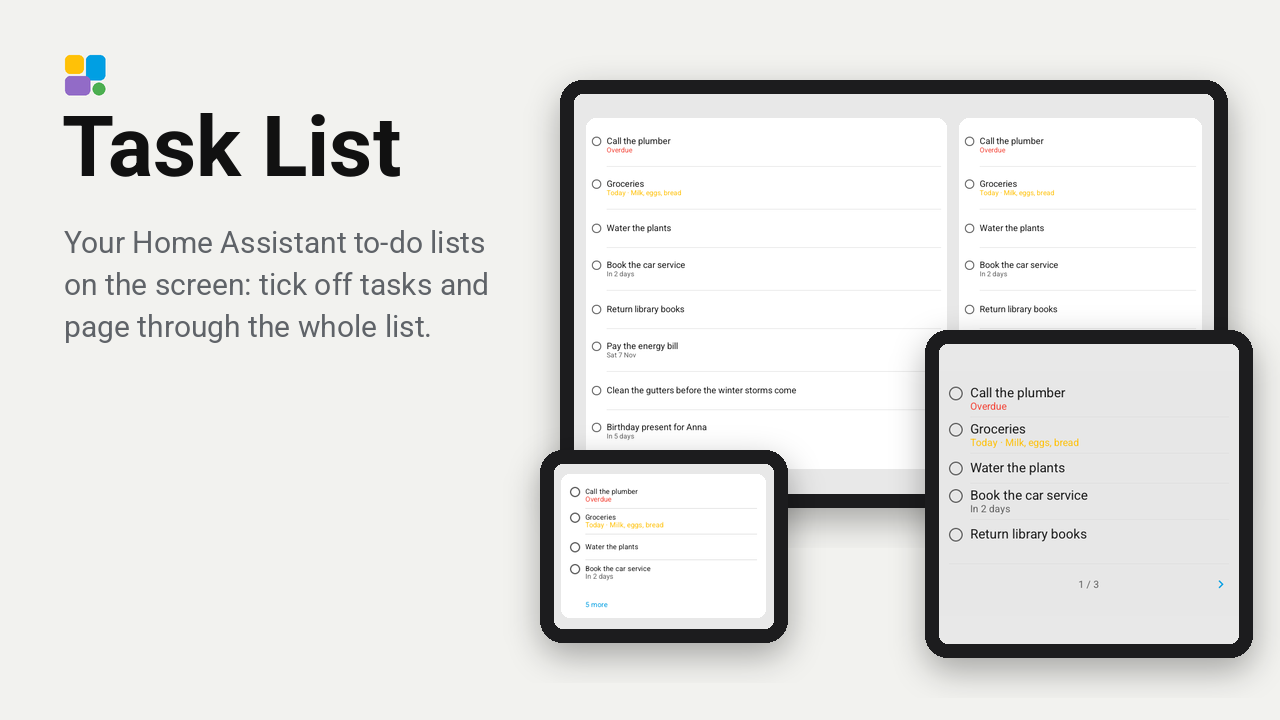
Your Home Assistant to-do lists on the screen: tick off tasks and page through the whole list.
On each screen
| Screen | Rating | Ratings | Homes |
|---|---|---|---|
| Waveshare 10.1″ · ESP32-P4-WIFI6-Touch-LCD-10.1 V3 | Not yet | 1 | 1 |
How these numbers are counted
Everything here is shared by choice from the Tessera app, one per installation of the app, without an account. A like can come from anyone, also from someone who does not run the plugin. A rating comes from someone who has run it on a screen for a few days, and shows from 3 ratings. Homes are the installations that agreed to be counted and said in the last 30 days that they run it.
These are not verified installations or a quality score. Reinstalls and lost keys can affect them, and one home network adds at most two of each to a plugin.
What the app sharesYour Home Assistant to-do lists (todo entities) on a Tessera screen: Local To-do, Shopping List, Google Tasks,
Todoist, CalDAV and any other integration that makes a to-do list.
- Every task is a row with a round checkbox: tap it to tick the task off, tap again to untick it (unless the tile is set to only show the list).
- A task with a due date or a description shows it on a second line. "Overdue" is red, "Today" amber. Not every integration keeps due dates (the Shopping List does not).
- The tile shows as many tasks as fit, then "3 more". Tap there, or anywhere below the tasks, to open the whole list on a card, and page through it with the arrows at the bottom.
- Done tasks stay out of sight unless you turn on Show completed tasks; on the card they always show, at the bottom.
A list shows up to about 25 to 30 tasks: what fits in one answer from Home Assistant to the screen.
Screens it was tried on
- Guition 4-inch (480 x 480): the tile and its card, ticking tasks off and on, and the popup that asks first (0.4.0).
Not tried yet on the CYD or a 10-inch screen. Tell me how it goes in an issue.
What you need
- Tessera 0.4.91 or later (plugin API 0.18 for the popup that asks first).
- A to-do list in Home Assistant.
Set up
- Add the plugin to a screen in the Tessera app.
- In Layout, place the Tasks tile from the plugin library.
- In the inspector, choose your to-do list as the tile's entity.
- Optionally, turn on Show completed tasks, turn on Ask before ticking off for a popup that asks first, or turn off Tasks can be ticked off for a list that is only to read.
- Build and install the screen.