 tessera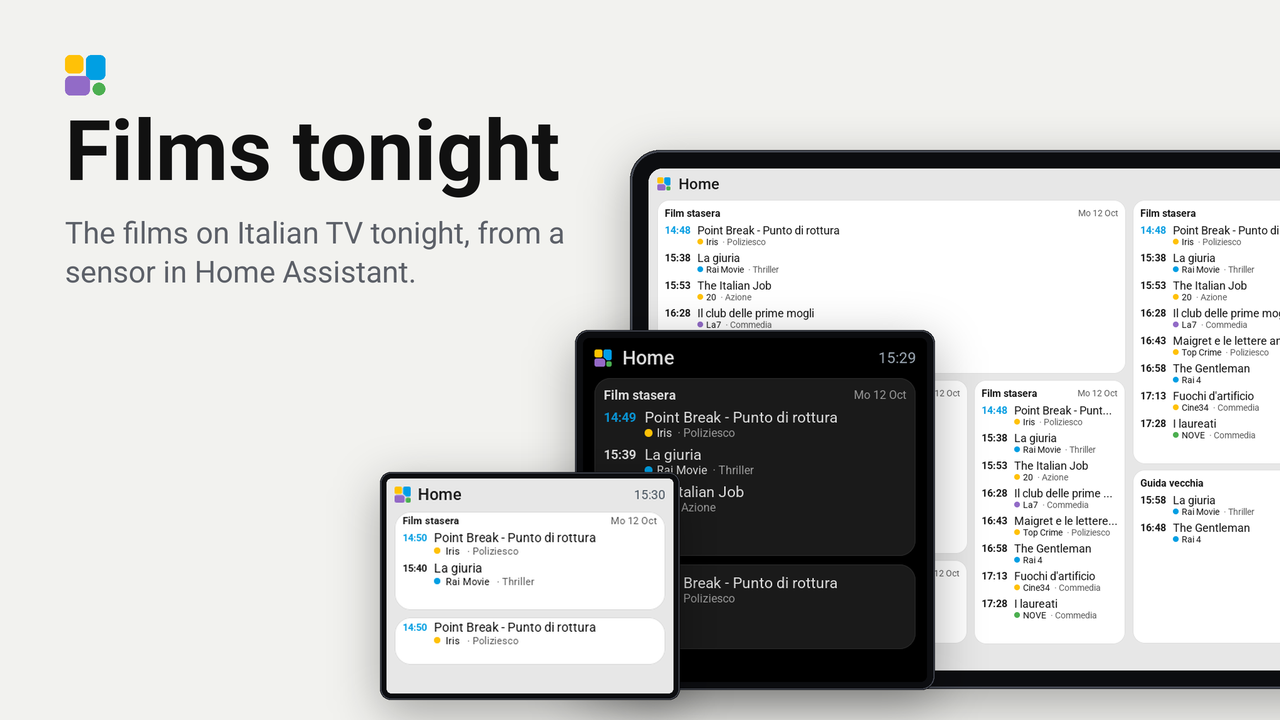
Films tonight
The films on Italian TV tonight, from a sensor in Home Assistant.
A tile with the films on Italian TV tonight: the start time, the title, and under it the channel and the genre. It belongs to one sensor of Home Assistant and fetches nothing from the internet itself.
Set up
- In Home Assistant, make the sensor
sensor.film_stasera(the one this plugin was written for): a sensor whose state is the number of films, with four attributes of the same length, one entry per film:titles,channels,starts(seconds since 1970) andgenres. Optional:groups(a number 1 to 4 per film, the colour of the dot before the channel's name: 1 blue, 2 amber, 3 green, 4 purple; 0 or missing draws no dot) andstale(true or false: the guide is old). - Add the plugin to a screen in Tessera. The screen builds once.
- In Layout, place the Films tonight tile from the library's Plugins group (1x1 up to 4x4: it shows as many films as fit) and choose the sensor in the inspector.
Good to know
- On a wide tile (about 13 cm or more, such as four columns of a 7-inch screen) the films run in two columns, one after the other, so a whole evening fits on one page.
- A film that started less than two and a half hours ago stays on the tile, with its time in the accent colour: the guide has no end times. The tile follows the screen's own clock, so a film leaves the list on its own.
- When no film is left it says so. When the guide is old it says that beside the date.
- It needs no key and no account.
- Tried on a real Waveshare ESP32-S3-Touch-LCD-7B (7 inch, Tessera firmware 0.55.0). On the plugin bench
(
tools/preview.py) it also draws without warnings on the 5-inch Waveshare and on the CYD (2.8 inch).
Modes and the Update button
The tile has two modes. Films (the default) lists tonight's films. Programmes lists, for each channel in the order of the remote, the prime-time programme and the late one, each with its time; when the channels do not fit, the page turns by itself every 8 seconds. A tap on the tile changes the mode; the tile option "Start mode" says which one it starts in.
When there is no data (the sensor has no value, or its guide is not today's) the tile says so and shows an Update button. A tap asks Home Assistant to update the sensor, which runs the script that fetches the guide. The screen must be allowed to perform Home Assistant actions.
The sensor needs the attributes prog_channels, prog_groups, prog1_titles, prog1_starts, prog2_titles and
prog2_starts for the Programmes mode: they come with the 0.3 version of the script film-stasera-ha. The app sends a
tile at most 2600 bytes: on an evening with many films the lists are cut to the same length.