 tessera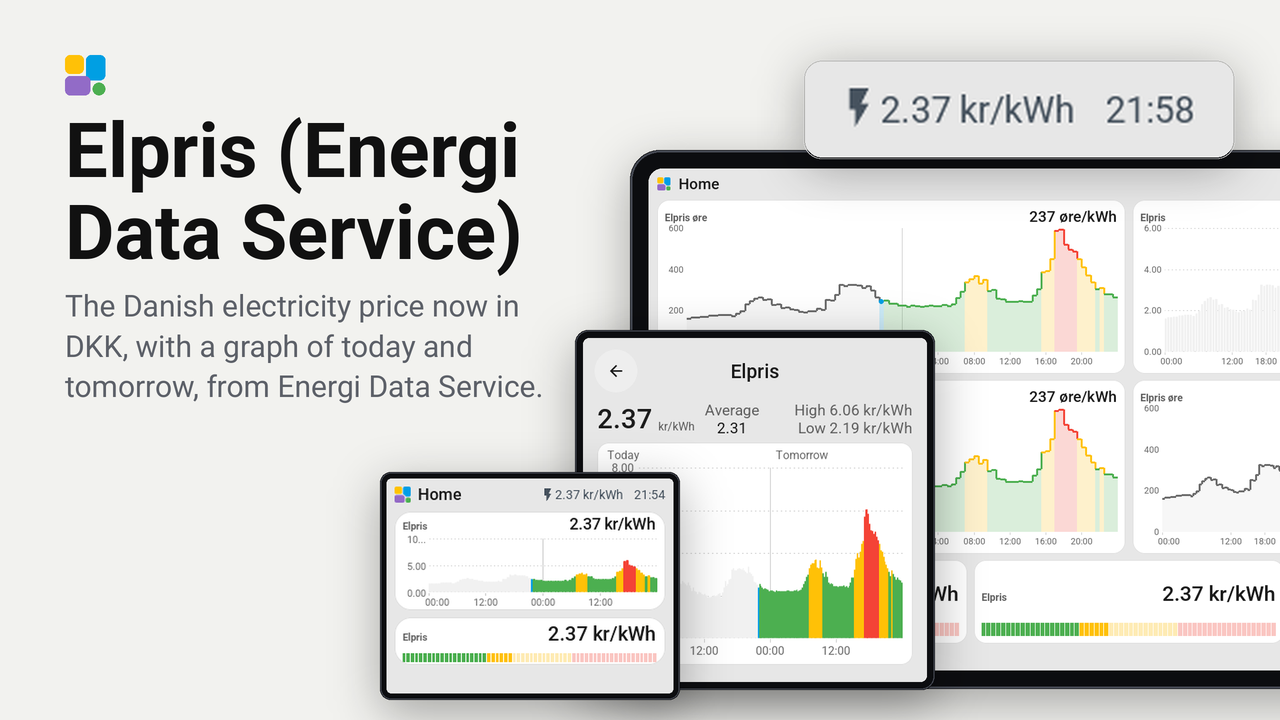
Elpris (Energi Data Service)
The Danish electricity price now in DKK, with a graph of today and tomorrow, from Energi Data Service.
The Danish electricity price now as a tile, in kr/kWh or øre/kWh, with the graph of today and tomorrow on bigger tiles
and on a card of its own. It reads the price sensor of the Energi Data Service integration (HACS
energidataservice by MTrab) in Home Assistant, such as one with tariffs and taxes added by the integration.
It runs on every board Tessera supports (boards: any), from the CYD to the 10.1-inch screens. It is built on the
Electricity price plugin by Heronimonimo.
Tried on a Guition ESP32-4848S040, and on Tessera's bench: the CYD, the Guition, a Waveshare 4.3-inch in portrait and the 10.1-inch JC8012P4A1.
Set up
- Install the Energi Data Service integration in Home Assistant and set up a price sensor for your area (DK1 or DK2). For the price you really pay, turn on tariffs, taxes and VAT in the integration.
- In Tessera, open Plugins, choose Add with a link and paste this repository's link. Tick your screens; each builds once.
- In Layout, place the Electricity price (Energi Data Service) tile from the library's Plugins group, at any size from 1x1 up to the whole page. A tile smaller than 2x2 shows the price with the meter bar; from 2x2 up it adds the graph.
- In the inspector, choose your price sensor. The list holds only Energi Data Service sensors.
- Choose the unit, kr/kWh (
2.31) or øre/kWh (231), and the number of decimals (in øre at most one). - Tap a bar of the graph to see its price and time slot. Tap it again, or beside the bars, to open the card: the price now, the lowest and highest still to come, the day's average and the graph.
Your tariff
The sensor gives the price p in kr/kWh. Leave Delivery price empty when the sensor already has tariffs, taxes and VAT. For a sensor without them you can type a formula in p:
| Field | Example | Means |
|---|---|---|
| Delivery price | (p+0.15)*1.25 |
A surcharge on top, then 25% VAT |
2.10 |
A fixed price | |
| Feed-in price | p-0.10 |
The price minus your supplier's 10 øre |
A formula has p, numbers (0.15 or 0,15), + - * / and brackets. The numbers are in kr/kWh, also when the tile
shows øre. A formula with a typo shows "Check the formula" on the screen in place of the price.
Good to know
- The graph has a bar for every quarter of an hour when the sensor has quarter prices, else for every hour. Past bars are grey, the bar now is the accent colour, and the bars to come are green, amber or red by their place between the lowest and highest price.
- Tomorrow's bars appear as soon as the sensor has them (Energi Data Service gets them in the early afternoon).
- The price of now is the slot of now in today's list, not the sensor's state.
- On the days the clock changes, the graph has 23 or 25 hours, each where it is on the clock.
- Electricity price can also stand in a page's top bar (editor, "From plugins"): the price now of your first price tile.