 tessera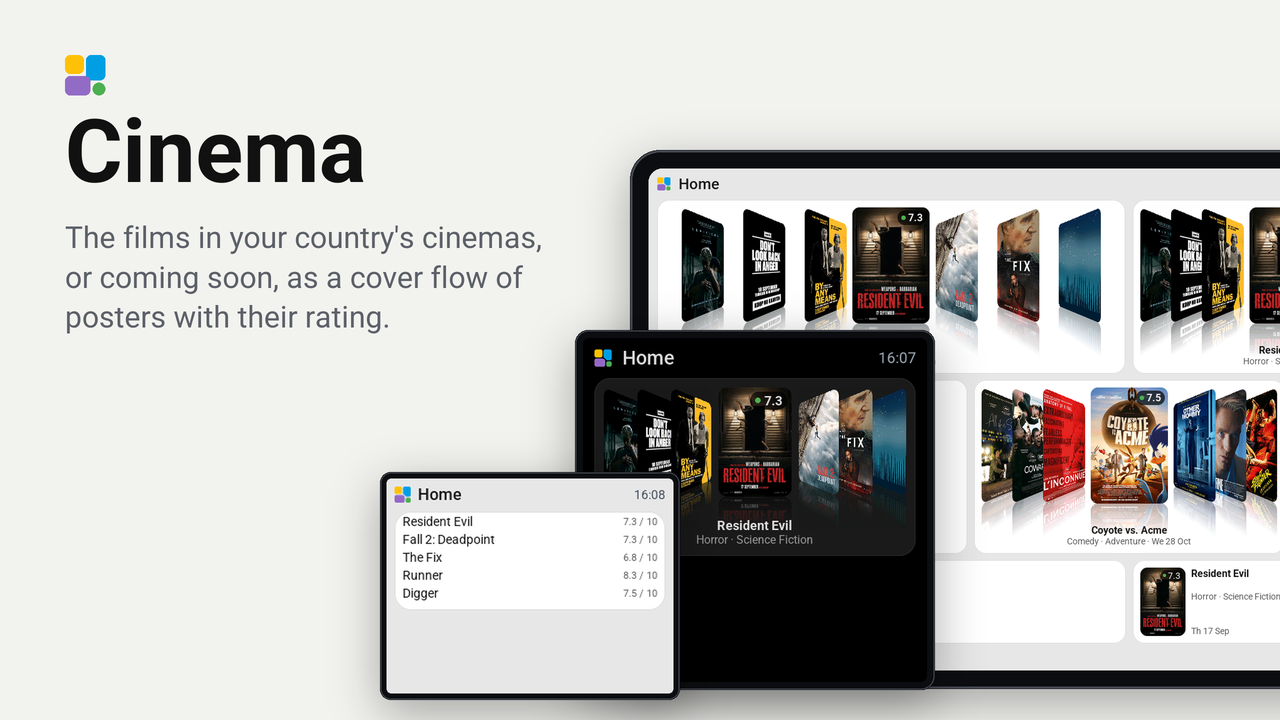
Cinema
The films in your country's cinemas, or coming soon, as a cover flow of posters with their rating.
How these numbers are counted
Everything here is shared by choice from the Tessera app, one per installation of the app, without an account. A like can come from anyone, also from someone who does not run the plugin. A rating comes from someone who has run it on a screen for a few days, and shows from 3 ratings. Homes are the installations that agreed to be counted and said in the last 30 days that they run it.
These are not verified installations or a quality score. Reinstalls and lost keys can affect them, and one home network adds at most two of each to a plugin.
What the app sharesWhat plays in the cinemas of your country, as a cover flow on a tile: the film in the middle large with its rating on the poster, its title and genres under it, the films beside it turned towards it with a reflection under every poster. It moves on by itself every fifteen seconds and runs round: left of the first film stand the last. Tap a film beside the middle to bring it there, or tap left or right of the middle to move one film. Choose the films in cinemas now, the ones coming soon, or the most popular of the moment, for any of thirty countries, with titles in the language you choose; show only one genre, or only films with at least a rating you choose.
The list and the posters come from The Movie Database (TMDB). This product uses the TMDB API but is not endorsed or certified by TMDB.
Set up
- Make a free account on themoviedb.org, then open Settings, API, and ask for an API key (personal use). Copy the API Key (not the Read Access Token).
- Add the plugin to a screen in Tessera and paste the key under TMDB API key. The screen builds once.
- In Layout, place the Films tile from the library's Plugins group. Two rows high or more shows the cover flow; one row high shows a poster beside its title; one cell standing up shows the poster alone.
- In the inspector, choose Which films, the Country and the language of the titles. Genre and Lowest rating narrow the list; Next film every sets how often it moves on (0 keeps it still).
Good to know
- The list is asked for every six hours; a poster is fetched once and kept while the tile shows it.
- The filters work on the twenty films TMDB lists first, so a narrow filter can leave a short flow. A genre counts when it is one of the first two TMDB gives a film. A rating counts from twenty votes on.
- A board without the memory for pictures (the CYD, the Waveshare 3.5-inch, the Hosyond 4-inch) shows the titles with their rating as a list instead; it turns the page by itself, or on a tap.
- "Add the TMDB key" on the tile means the key is not filled in yet.
Privacy
Tessera (the app in Home Assistant, not the screen) asks TMDB's API for the list of the country you chose, with your
key, and fetches the posters from image.tmdb.org. TMDB sees the address of your Home Assistant, the country, the
language and your key; nothing else of your home. The screen never reaches the internet.