 tessera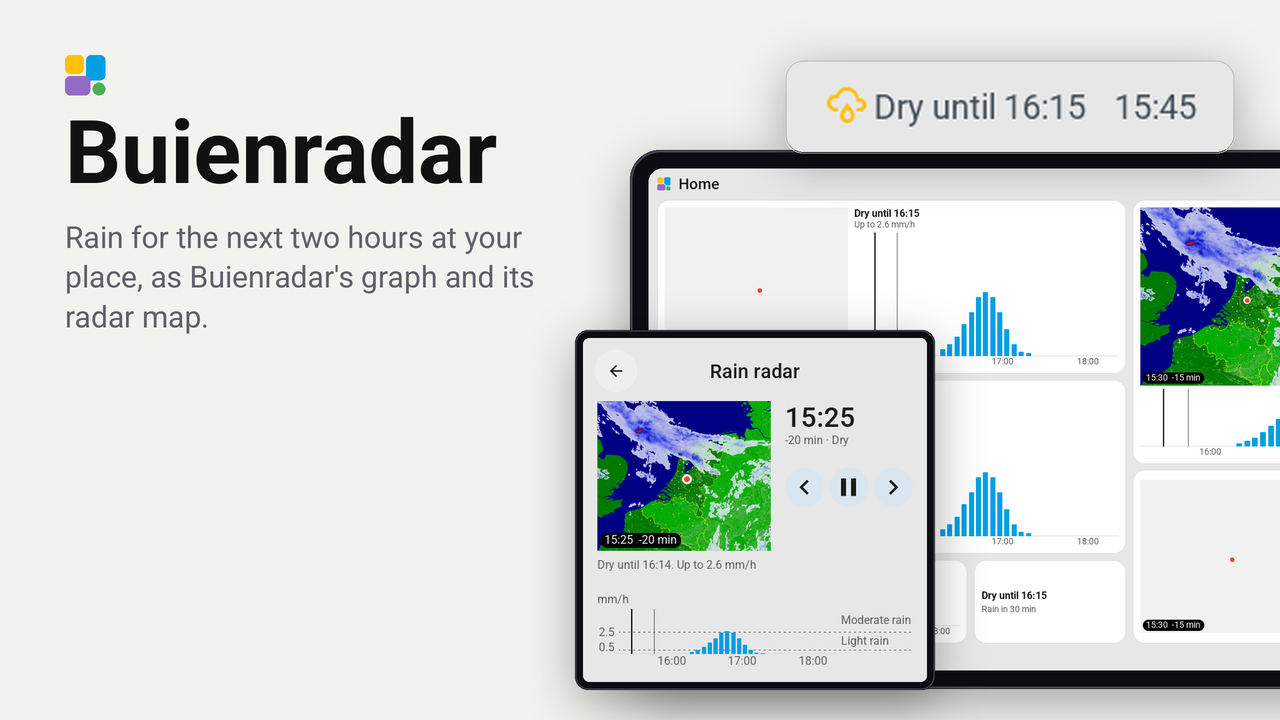
Buienradar
Rain for the next two hours at your place, as Buienradar's graph and its radar map.
The rain of the next two hours at one place in the Netherlands or Belgium, from Buienradar.
- Every tile shows Buienradar's rain graph for the place: a bar for every five minutes, from about twenty minutes ago to two and a half hours ahead, with a line at now. Above it (beside it on a tile one row high), in words: "Dry until 14:05", "Rain until 15:10", and how hard it rains at most. A 1x1 tile has the words alone.
- A tile of 3x2, 2x3 or larger, or a 2x2 of at least 35 mm a side, shows the radar map as well, with a dot at the place. The map plays by itself from half an hour ago to two hours ahead, and a cursor on the graph shows which moment the map shows.
- A tap opens the card over the whole screen: the map and the graph together. The graph is the timeline: tap a moment on it and the map shows that moment. The keys step a frame back or on, or play the frames.
A screen without pictures (the CYD, the Waveshare 3.5-inch, the Hosyond 4-inch) shows the graph and the words only.
Set up
- Add the plugin to a screen in Tessera. The screen builds once.
- In Layout, place the Rain radar tile from the library's Plugins group. Make it 3x2 or larger for the map.
- In the inspector, type the Latitude and Longitude of the place with a point and at most two decimals
(about 1 km), such as
52.09and5.12, in the Netherlands or Belgium. Home Assistant shows the coordinates of your home under Settings, Areas, labels and zones. If Buienradar would not take what you typed (52,09,52.10), the tile says what to type instead. The graph and the dot on the map both use these. - Choose what the map plays, and how long each frame stays.
Good to know
- The graph and the radar frames are Buienradar's own, the ones its website and its embeddable widget show. They are free for private use with the source named; this README and the plugin's name do.
- The newest radar frame is the one Buienradar's forecast for your place ends its measured past with: usually six to fifteen minutes old, sometimes over half an hour when Buienradar runs late. So it is always there to fetch. The forecast frames after it come from Buienradar's forecast made ten minutes before that one, which is always published by then, and reach about an hour and fifty minutes past the newest frame.
- Without internet for a while, the tile keeps its last forecast and says it is older, and the map keeps playing the frames it already had. Both catch up by themselves when Buienradar answers again.
- The map is Buienradar's own background for its radar, the very area of the radar frames: the Netherlands, Belgium and the land and sea around them, as one view. It does not zoom in on the place yet.
- Buienradar takes a coordinate only in its shortest form (52.09, 52.1, 52; not 52,09, 52.10 or 52.091) and answers any other with a redirect the app does not follow. The app sends what you type as it is, so the tile can only check it and tell you. Choosing a zone or a person from Home Assistant needs a change in Tessera that lets a fetch use an entity's coordinates.
Tried on
The bench of the plugins repository (tools/preview.py): the CYD, the 4-inch Guition, the 4.3-inch Waveshare standing
and the 10.1-inch Guition P4, with Buienradar's real map and radar pictures. Not yet on a real screen: tell me in an
issue how it works on yours.
Privacy
Tessera's app, in your Home Assistant, asks Buienradar for the forecast every five minutes, with the latitude and
longitude you filled in (graphdata.buienradar.nl). It fetches the radar frames (processing-cdn.buienradar.nl) and
the map under them (cdn.buienradar.nl), which are the same for everyone. Buienradar sees your Home Assistant's address
on the internet and the place you chose. The screen itself connects to nothing outside your home.
Buienradar is a service of DPG Media; see its privacy statement.